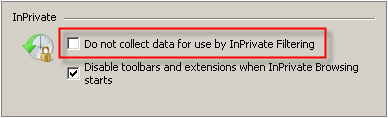

Internet Explorer introduced a number of new security and privacy features in version 8. One of these new features was InPrivate Filtering. InPrivate Filtering helps prevent the web sites a user visits from automatically sending details about the visit to other content providers.
When a user visits a web site, it automatically shares standard computer information with that web site. If the web site contains content provided by a third-party web site (for example a map, advertisement, or web measurement tools such as a web bug or scripts) some information about the user may be automatically sent to the content provider.
This type of arrangement can have several benefits. It lets the user conveniently access third-party content. The presence of advertising on a web site may let the web site provide access to premium content at no charge. However, there can be an impact on user privacy as a result because it is possible for the content providers to track the user across multiple web sites.
When InPrivate Filtering is used, some web sites might be prevented from automatically sharing details about the visit with the providers whose content is displayed. As a result, some content might be automatically blocked (such as weather information or advertisements). The user can manually allow blocked content by adjusting the InPrivate Filtering settings.
PrivacIE Entries
When performing a forensic examination of entries from Internet Explorer, you may come across numerous PrivacIE Type entries. These entries are URL records for third-party content providers.
If the user has InPrivate filtering on, the PrivacIE entries relate to third party content. They are not InPrivate browsing records. InPrivate Filtering helps prevent website content providers from collecting information about sites the user has visited.
For example, the Digital Detective web sites use Google Analytics to track information about visitors to our sites. Google tracks the data and provides webmasters with analytical tools to review the results.
If you switch InPrivate filtering on and visit the Digital Detective Website, you will find two PrivacIE entries which get generated from the visit.
PrivacIE:google-analytics.com/*/__utm.gif
PrivacIE:google-analytics.com/*/ga.js
The first entry is a web bug which takes the Google Analytic information as a command line parameter. The second entry is a Google Analytic script.
Removing InPrivate Filter Entries